




Be In The Know
March 16, 2026
Spotting Fake Emails from the City: What Virginia Beach Residents Should Know
Even accurate and official-sounding emails can be fake. Know what to look for and how to avoid falling victim to a potential scam.

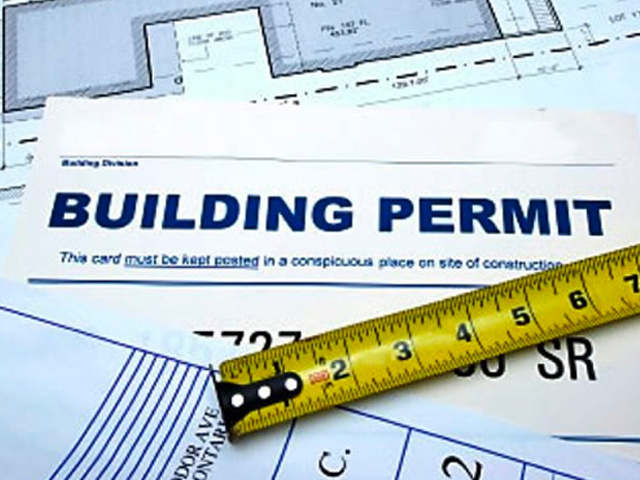
The Federal Bureau of Investigation (FBI) has shared that criminals are using new tactics to impersonate City officials here and in other communities throughout the country for invoices related to Planning permits. They are requesting fraudulent payments related to planning and zoning permits.
These scams use publicly available permit information to appear legitimate. While this is a nationwide issue, we want to help Virginia Beach residents stay aware and protect themselves.
How it Works
Scammers may contact individuals or businesses with active land‑use applications and pretend to be Planning Commission members or City staff. They often send unexpected emails that reference real permit information, application numbers or property addresses.
The message then directs the recipient to pay an invoice or fee, usually through a wire transfer, a peer‑to‑peer payment app or cryptocurrency. The City never requests these types of payments for paying fees.
Online payments are accepted through the Accela Citizen Access portal (ACA), however checks are accepted by mail or in person. Any checks should be made out to “City Treasurer, City of Virginia Beach.”
Some common indicators are:
- An email address that looks similar to the City’s but comes from a different domain. Official City emails always end in @VBgov.com.
- An urgent tone or threats of delays if payment isn’t made right away.
- Accurate details about planning requests, including property addresses or the names of City officials — information that is publicly available.
- A message or attachment listing itemized fees and asking you to request payment instructions by email. This is often meant to discourage you from calling the City to confirm the details.
How to Protect Yourself
- Do not assume that unsolicited messages are legitimate because they use the City’s letterhead, seals, logos, names of officials or proper spelling and grammar. Invoices for online payment direct applicants to submit the fee through Accela Citizen Access (ACA) using the associated ACA record.
- Verify the email address of the sender, including the domain name (@VBgov.com), matches the address of the official or staff member you are working with. Be sure it doesn’t contain any errors such as extra characters or misspellings. For example, JDoe@VBgov.com vs. J.Doe@VB-gov.com or JohnDoe@VirginiaBeach.com.
- Check the City’s official website for any notices about ongoing scam activities.
- When in doubt, call the City department in question, using the phone number listed on the Planning Department’s official website, to verify any outstanding fees.
Identifying a Genuine Email from Planning
- Check the email address of the sender and verify that it has been sent from an @VBgov.com email address.
- For Planning applications and fees, verify that the payment links point to the ACA portal. Other payment methods are accepted by the City, including paying in-person.
- A genuine email will include a phone number and does not require all correspondence to occur through email. City landlines will always have a 757 area code and a 385 prefix, appearing as 757-385-XXXX. City issued mobile phones do not follow this format, however.
- An example of a genuine email is available. Note that the genuine message includes City phone numbers, offers multiple payment methods and directs the recipient to the ACA portal. Legitimate, emailed invoices are never sent as an attachment and direct the recipient to the ACA portal to view the transaction.
- An example of an illegitimate email is also available. Note that the message does not contain any phone numbers, instructs the recipient to only correspond through email, does not have a valid City email address, and contains an attached invoice. The invoice only offers a wire transfer as the payment option.
- If you are questioning the authenticity of a message, call the individual staff member you are working with in the Department, the Division you have been working with, such as Planning Administration, Zoning, etc., or the Department of Planning & Community Development at 757-385-4621, to verify if a payment request is authentic.
If you Believe you Have Been Targeted by a Scam
If you or someone you know has fallen victim to this impersonation scam, file a complaint with the Internet Crime Complaint Center (IC3) at www.IC3.gov. Be sure to include any available information including:
- The email address, date of email and phone number, if provided.
- The date of your project’s scheduled hearing, if applicable.
- The amount listed in the fraudulent invoice, method of payment requested to pay the fees and bank account information, if provided by the scammer.
Scammers will continue to look for new ways to deceive people, but staying cautious and verifying communications can go a long way.
If you ever have doubts about a message claiming to be from the City, please contact the department directly using the phone number found on its official website.
Keep Reading
See All PostsBlog
Blog
Blog

-
Calendar News Blog Hot Topics Multimedia Social Media Mobile Apps